How to buy energy without an account
The quickest way to get energy: paste the address you send USDT from, and pay a one-off invoice in TRX. There is nothing to sign up for, and only your public address is ever needed.
3 min · 5 steps · updated September 24, 2026
- 01
Paste the address you send USDT from
On the home page, drop in the address that will send the transfer — your own wallet, not the recipient's. Energy is spent by the sender, so that is the address it has to reach.
It is a public address and nothing more: no signature, no seed phrase, no connected wallet.

- 02
See what the address has, and what a transfer would cost
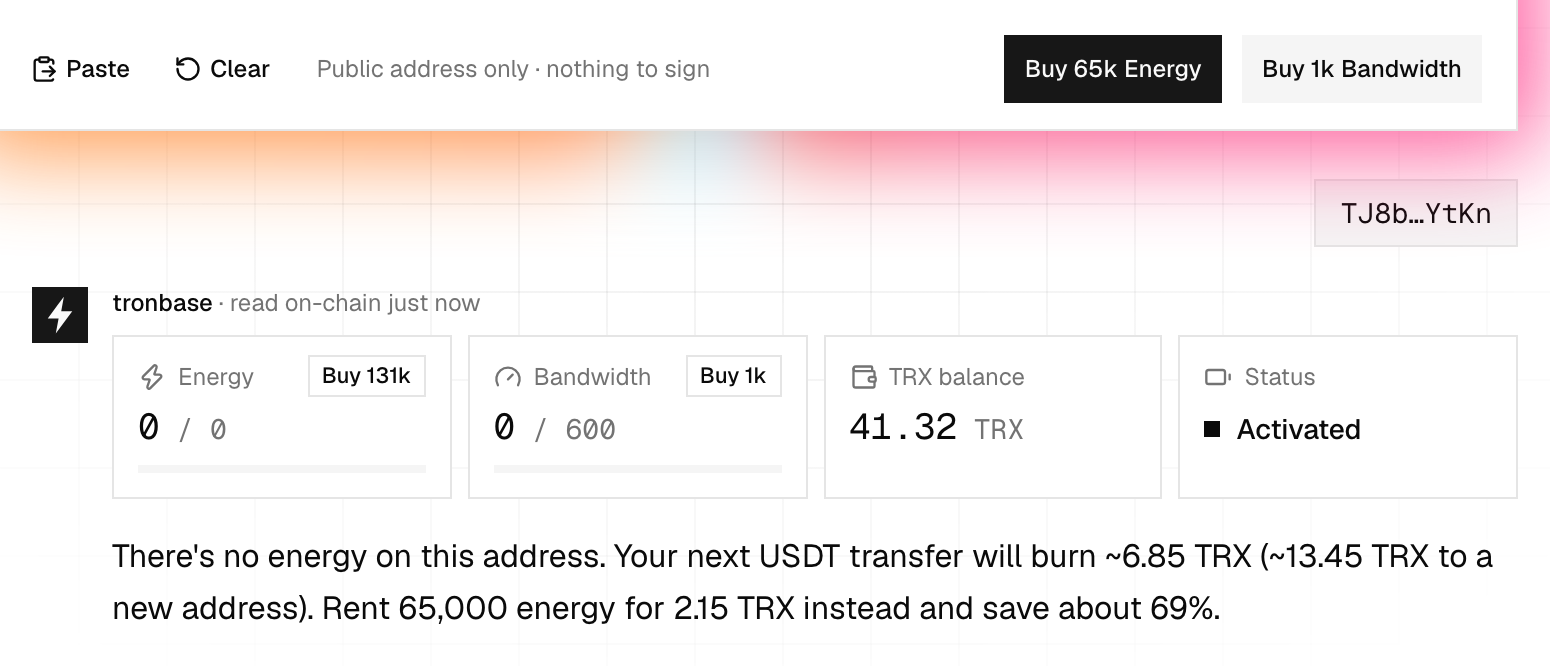
The energy, bandwidth and TRX balance are read straight off the chain, along with what your next USDT transfer would burn if you sent it as things stand.
Buy 65k Energy is the usual order: it covers one USDT transfer to a recipient who already holds USDT. A recipient with a zero balance — an exchange deposit address, most often — needs 131,000, which is the button on the energy meter below.
- 03
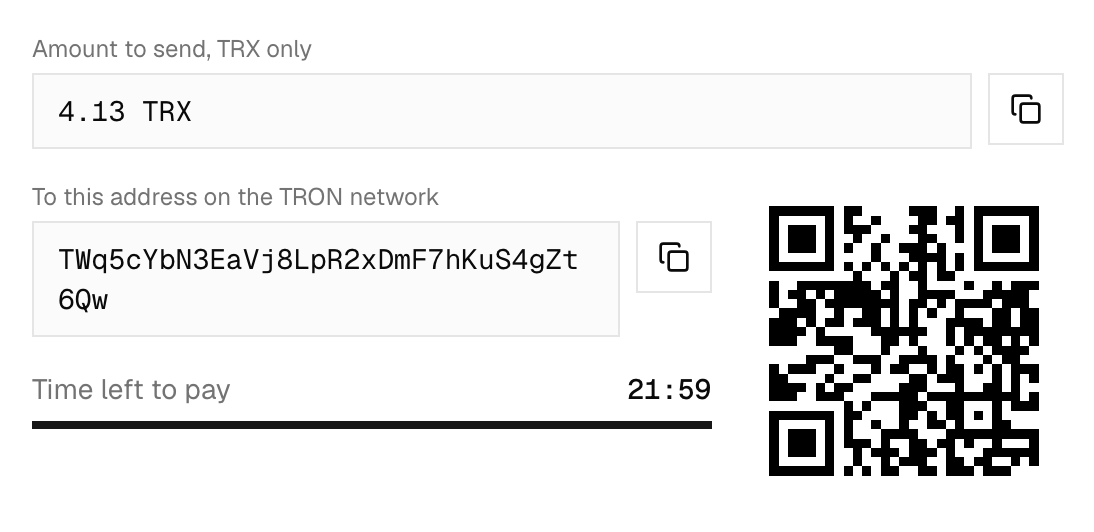
An invoice opens with the amount and the address
The invoice is for a fixed amount in TRX, to an address reserved for this payment alone. Copy either with the buttons, or scan the QR code from your phone.
It is good for 30 minutes — enough for the transfer to confirm without the price moving underneath you. The invoice has its own link, so you can open it as a page or send it to whoever pays.
- 04
Pay it in TRX from any wallet
Send the exact amount from TronLink, Trust Wallet, an exchange — anything that speaks TRON. The payment address takes TRX only: USDT sent to it is not credited.
Pay once per invoice. If the amount or the timing does not match, the payment is not lost — it goes to a manual check, and support sorts it out against the invoice number.
- 05
The energy arrives by itself
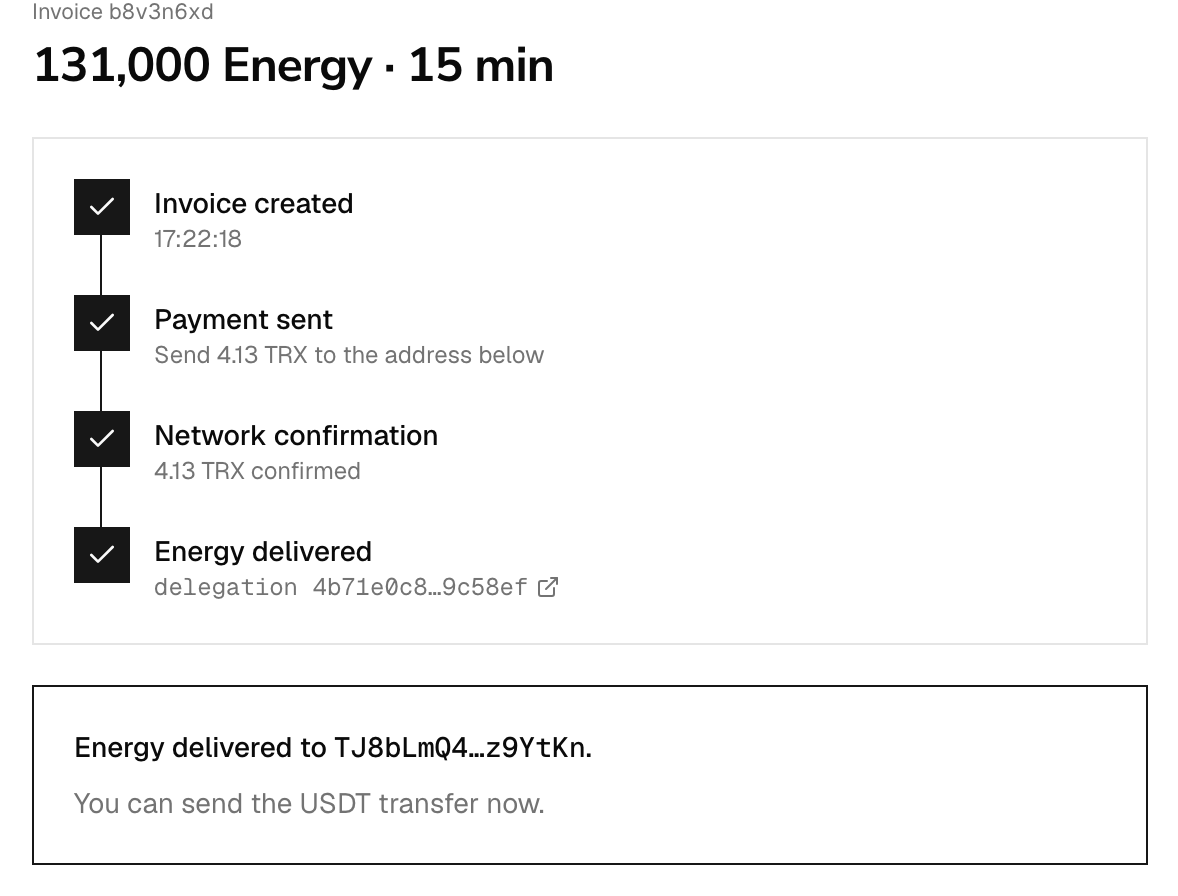
The page follows the payment: confirmed, ordered, delegated — with the delegation transaction to check on Tronscan. Nothing else is asked of you.
The energy lands on the address you checked and is rented for 15 minutes, so send your USDT transfer as soon as it says delivered.
Questions
- Do I need an account for this?
- No. An account adds a balance to pay from, order history and automation like Tron Pulse, but an invoice needs none of it.
- How long is an invoice valid?
- 30 minutes. After that do not pay it — check the address on the home page again and a fresh invoice is issued at the current price.
- Can I change the amount of energy?
- Yes, while the invoice is still waiting for payment and in the panel where you created it. The price is recalculated as you change it.
- I sent the wrong amount. Is it lost?
- No. A payment that does not match goes to a manual check — write to support@tronbase.io with the invoice number and it is delivered or returned.
- Which address does the energy go to?
- The one you checked, because energy is spent by the sender of the transfer, never by the recipient.